Cafés, restaurants and shops in Thailand use QR codes for menus, PromptPay payments, LINE accounts and Wi-Fi. This guide helps you decide the size, the finish and the file details, so customers can scan your sticker on the first try.
What can a QR code sticker be used for?
Most shops use them to point customers to something they would otherwise have to ask for. Each sticker should do one job, with a short line of text saying what the code opens.
- Table stickers that open a digital menu
- A PromptPay or bank QR at the counter
- A LINE official account code for orders and bookings
- Wi-Fi codes in a café or co-working space
- Product labels that link to instructions or a review page
How big should a QR code sticker be?
Size the code for the distance people scan from. A common rule of thumb is a code width of about one tenth of the scanning distance, so a code read from 30 cm away needs to be about 3 cm wide. A sticker on a table can be small; a code on a door or a wall that people scan from a few steps away needs to be much larger.
Which sticker finish works best for QR codes?
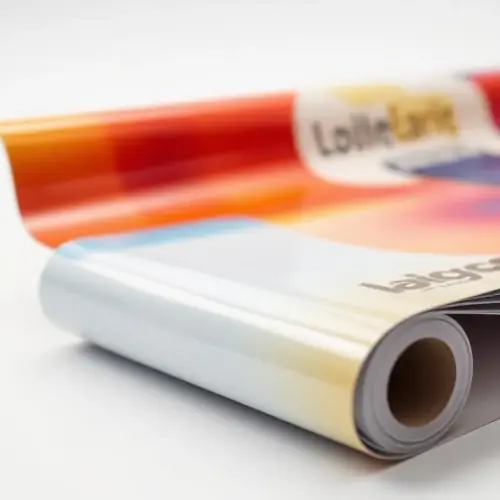
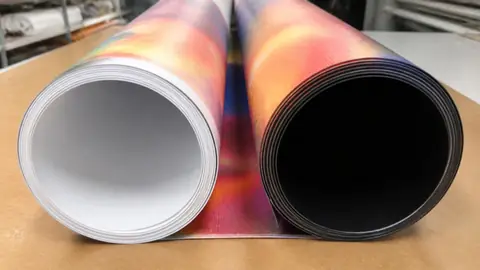
Pick the finish by where the sticker goes and how the light falls on it. Shiny surfaces can reflect ceiling lights into the phone camera, so for tables and counters under bright lights a matte or semi-gloss finish is usually easier to scan. We print stickers in PVC and PP, both in the same four finishes.
| Finish | Good for | Watch for |
|---|---|---|
| Matte | Tables and counters under bright lights | Colours look a little softer |
| Semi-gloss | General use indoors | Some shine at certain angles |
| Gloss | Colourful labels and packaging | Glare under direct light |
| Clear | Glass doors and windows | Needs a solid background behind the code |
Ready to print? Message us on LINE
or check the price first →How do you design a QR code that scans reliably?
Keep the code dark on a light background, with a plain border around it on all sides. Do not stretch it, put it on a photo or recolour it in light tones. If you add a logo in the middle, keep it small and test the result.
- Dark code on a white or very light background
- A clear empty margin around the whole code
- One short line of text, such as "Scan for menu" or "Scan to pay"
- Thai and English text if your customers use both
- No important parts too close to the cut line
Can QR code stickers be cut to a shape?
Yes. Stickers can be die-cut to the shape of your design, such as a circle, a rounded square or the outline of your logo. Keep the code itself well inside the cut line, so the blade never touches it.
Prices and finishes: Sticker printing price calculator
What should you check before you order?
Print a test copy at the real size on a normal printer and scan it with two different phones. Check that the link opens the right page, then send the final file as AI or PDF, or PSD, JPG or PNG if that is what you have.
File checklist: Print ready file checklist
Send the file on LINE; our admins can reply in English and confirm the details before printing. You can ask for a quotation before you pay, and we issue tax invoices to companies, including foreign companies. Delivery covers all of Thailand, or you can pick up at the shop in Bangkok (Lat Krabang side).
Labels for products: Product label guide
Summary
Match the code size to the scanning distance, keep a clear border, choose matte or semi-gloss under bright lights and test the code before you order. When it scans well, send the file on LINE and we will check the details with you.